


Offerte del Black Friday. Il prezzo più basso dell’anno 🏷️

Buying your first electric skateboard? Before comparing top speeds, look at how the board starts, how its riding modes work, whether the remote is easy to operate, and how the brakes respond. These controls shape the moments you will use most: starting from a stop, riding slowly, and slowing down with room to spare.
A beginner-friendly setup should give you a clear way to make small inputs and practice at a manageable pace. Specifications can help you narrow your choices, but they cannot tell you exactly how a board will feel under your feet. Check the exact model, read its manual, and practice in a safe area after it arrives.
Imagine standing on your board for the first time and moving the throttle just a little. Does the board build speed gradually, or does a small movement feel abrupt? For a new rider, that first response matters because acceleration shifts your weight toward the back of the board.
The electronic speed controller, or ESC, manages how the motor responds to the remote. A product page may name the controller or describe acceleration as “smooth,” but the name alone cannot tell you how a particular setup will feel. The motor, selected mode, rider, and remote input all play a part.
Before ordering, look for a demonstration or an independent review of the exact model and configuration, especially one that shows a slow start. If the information is unclear, ask the seller how the lowest mode changes acceleration and whether a kick-push is required to start. Do not assume that every board starts the same way.
Speed modes give you different ways to use the board, but their names are not standardized. A “beginner” or “low” mode may limit acceleration, top speed, or both. On some boards, a lower mode may change acceleration without setting a lower maximum speed. Check the description for the specific board rather than assuming what a mode name means.
When comparing models, ask:
More modes give you more options, but the number of modes alone does not show how gentle the first one will feel. Start in the lowest appropriate mode and stay there until starting and stopping feel predictable. A low mode does not eliminate the risk of falling.

The remote is the control you will use throughout a ride, so it should be comfortable to hold and easy to understand. On MAXFIND’s listed four-speed remote, the thumb wheel rolls forward to accelerate and backward to brake. Controls can differ on other remotes, so read the instructions for the one included with your board.
Before buying, check these details:
A display is useful when it makes important information easy to check. You should not need to look down at it continuously while riding. For model-specific details, see our electric skateboard remote guide.
Being able to control a stop matters as much as getting moving. On a thumb-wheel remote, a small braking input and a larger input can produce different amounts of deceleration. Begin with gentle inputs and learn how the board responds before attempting firmer stops.
Using the remote to vary braking during a ride is different from changing a brake-strength setting. Some boards offer a separate adjustment for braking; others may link brake behavior to a riding mode or offer no separate setting. An app, an ESC name, or several speed modes does not by itself confirm that brake strength can be adjusted independently.
Before buying, ask whether the exact model has a separate brake-strength or brake-sensitivity setting, how to change it, and whether changing the riding mode also changes braking. If an adjustment is available, follow the manufacturer’s instructions. A weaker setting is not automatically safer: it may leave you needing more room to stop.
Stopping distance also depends on speed, slope, rider and load, surface grip, and the board’s condition. Smooth braking does not guarantee a short stop. Look ahead and leave room to slow down. Our guide to MAXFIND braking discusses why different configurations can feel different.

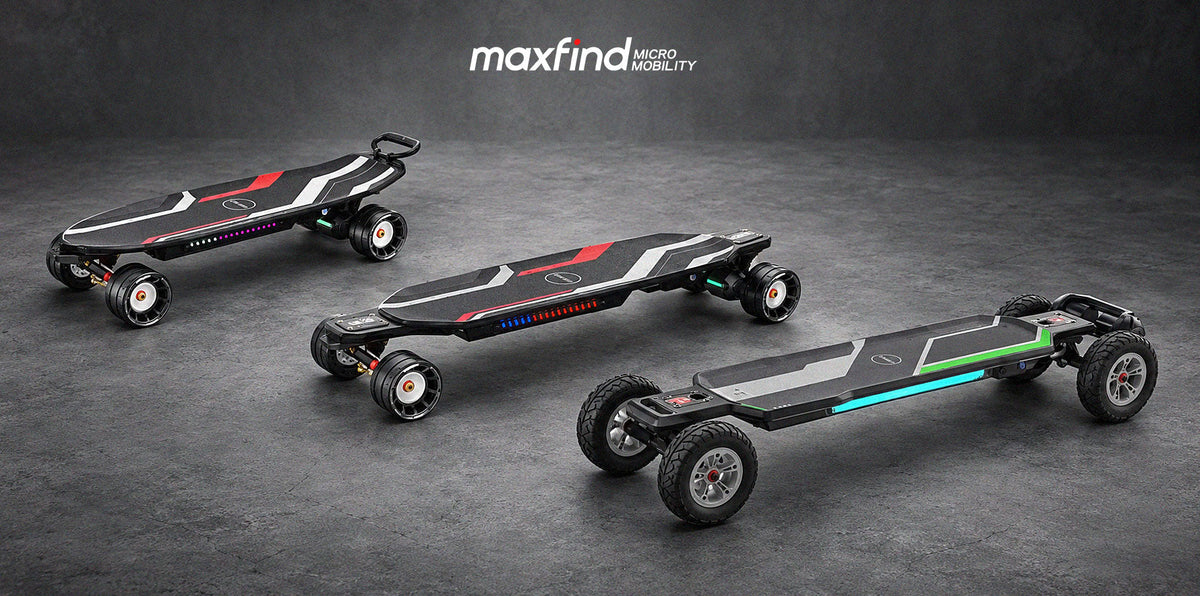
The right controls are easier to appreciate when the board also fits your routine. Here are two MAXFIND options to compare on maintained, paved routes:
The standard MAXFIND CYBER MINI has an approximately 32-inch deck, four riding modes, an OLED remote, and electronic regenerative braking. Consider it if you need a shorter board for storage or carrying between rides. Its compact standing area may feel different from a longboard, so take time to find a comfortable stance and practice controlled stops.
The standard MAXFIND CYBER MAX has an approximately 38-inch deck, four riding modes, an OLED remote, and electronic regenerative braking. Consider it if you prefer more room to position your feet for paved-road riding. The longer board also needs more storage space and may be less convenient to carry.
Both standard models list smart-app support. Our available specifications do not establish that either has an independent brake-strength adjustment. If that feature matters to you, contact MAXFIND with the exact model, remote, and configuration before ordering. The CYBER MINI and CYBER MAX families include other versions, so check the selected variant rather than assuming every feature is identical.
Keep the product page open and make sure you can answer these questions:
If a product page does not answer one of these questions, ask the seller before placing your order. A clear answer about the exact version is more useful than a generic “beginner-friendly” label.
Read the manual for your board and remote. Wear a properly fitted helmet and appropriate protective gear, including wrist guards and knee and elbow pads; the U.S. Consumer Product Safety Commission’s skateboarding safety guide also recommends flat-soled shoes.
Choose a dry, flat area away from traffic and other people. With the board powered off, check that the throttle moves freely and returns to neutral. Then, following the manual, turn on the board and remote and check their batteries, connection, selected direction, and riding mode while stationary. In the lowest appropriate mode, begin at walking speed and practice gentle starts and stops with space ahead. If the remote or brakes respond unexpectedly, stop riding and contact support.
Electronic braking depends on the board’s system and connection. Learn a non-motor stopping technique, such as foot braking, in a safe place, and avoid speeds or slopes where you could not stop safely without motor assistance. Follow the manual’s guidance for your model, including its battery and downhill warnings.
Your first board does not need to be chosen by its fastest number. Choose one whose controls you understand, whose size fits your routine, and whose starting and stopping response you can learn at your own pace.
Condividi:
How Much Electric Skateboard Range Do You Need for Commuting?